

5 Key Factors to Consider When Choosing a Document Scanner
 by Thomas Jackon · Nov 3, 2026
A document scanner helps turn physical files into digital copies that are easier to store, search, and share. But with so many models available, how do you know which one is right for you?
The answer depends on more than just the price. From scanning speed and image clarity to paper capacity, connectivity, and software support, several factors can influence how well a scanner fits your needs. Choose document scanners from leading brands such as Fujitsu, Ricoh, Canon, Epson, Brother, and Avision.
Each offers a range of options designed to handle different scanning needs. These brands provide versatile, professional equipment that can deliver reliable performance for everyday tasks.
Before deciding, consider how often you’ll use the scanner, the volume of documents you need to process, and any features that could simplify your workflow. Keep reading to explore five key considerations when buying.
Type of Scanner
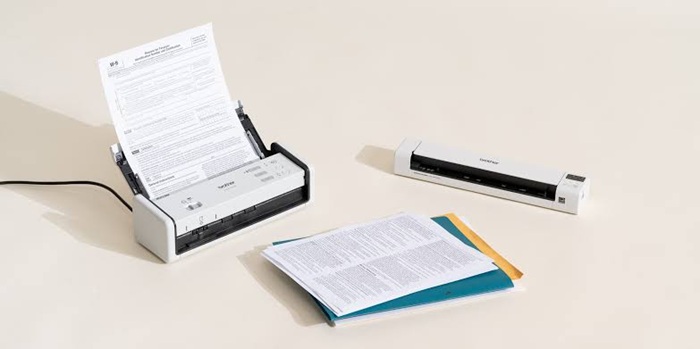
Before buying a scanner for documents, think about what you’ll be scanning most often. Some models are better suited to handling large batches of paperwork, while others offer more flexibility for different materials or occasional use. Here are a few common options to consider:
- Flatbed scanners: A good choice for scanning books, photos, fragile papers, and other items that shouldn’t be fed through rollers.
- Sheet-fed options: These document scanners are ideal for offices that regularly process multiple pages, as they can scan stacks of documents quickly and efficiently.
- Portable options: Convenient for people who travel for work or need to digitise documents away from the office.
- All-in-one printers: Worth considering if you only scan occasionally and also need printing and copying functions.
Think about your everyday workload and the types of documents you handle to find a scanner that fits your routine.
Resolution
What DPI do I use for a scanner? Resolution plays a big role in how clear and detailed your documents will look. It’s measured in dots per inch (DPI), and the right setting depends on what you’re scanning. For everyday paperwork, such as contracts, invoices, and reports, 300 to 600 DPI is generally enough to keep text sharp and easy to read.
If you regularly scan photos, illustrations, or documents with fine details, a higher resolution of 600 DPI or more may be worth considering. Keep in mind that higher settings can also increase file sizes and scanning times. Choose a device with adjustable resolution, so you have flexibility to balance image quality and efficiency for different tasks.
Efficiency
If you regularly scan piles of paperwork, speed and efficiency should be high on your list of priorities. Check the pages-per-minute (PPM) rating on the document scanner to get an idea of how quickly it can handle pages. For occasional use or smaller workloads, a slower model may be perfectly adequate.
A busy office processing dozens or hundreds of pages a day will likely benefit from a faster machine. Look for an automatic feeder (ADF) which lets you load several pages at once instead of feeding them in individually. Combining a good scanning speed with a reliable ADF can make everyday tasks much quicker and less tedious.
Connection Flexibility
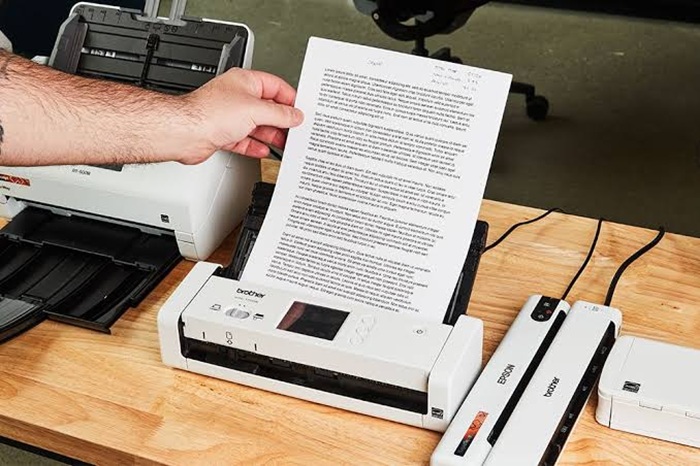
Before choosing a document scanner for sale, consider how you plan to connect it to your computer and other devices. The right connectivity options can make the process more convenient, especially if several people need to use the same machine. Some scanners rely on a direct USB connection, while others offer wireless features that give you more freedom over where you work. Here are a few options worth looking for:
- USB connectivity: A straightforward choice for connecting a scanner directly to a computer. It’s generally reliable and easy to set up.
- Wi-Fi connectivity: Useful if you prefer scanning wirelessly or want to send scans to compatible devices without dealing with cables.
- Network scanning: A practical option for shared office environments, allowing multiple users to access the device through a network.
Think about your existing equipment and daily workflow before deciding. A device with suitable connectivity can fit more easily into your setup and make sharing scans much simpler.
Reliable Software
A document scanner is only as convenient as the software that comes with it. The right tools can save you time, reduce manual work, and make it easier to organise your digital files.
For example, optical character recognition (OCR) allows you to turn scanned pages into searchable text, making it much easier to find specific information or edit scans when needed. Duplex scanning is another useful feature, as it captures both sides of a sheet without requiring you to turn the pages over yourself.
Some devices also offer automatic colour detection, blank-page removal, and batch scanning to simplify repetitive tasks. Before buying, check which features are included and whether the software works with your existing systems.
Ultimately, choosing the right device involves looking at more than just its price or speed. Consider your workload, the types of documents you handle, and the features you’ll genuinely use. Take the time to compare your options so you can find a reliable device that makes everyday tasks easier.